
Watch IPTV on your smart TV
Already have the app? The instructions below also apply to existing testers.
What you need
- A supported TV with ERA Player installed, for example an existing test device. Public store submissions are still under review.
- An M3U/M3U8 playlist link, or the Xtream Codes details (server, username and password) from your provider
- A phone or computer to sign in at eraplayer.com
- 1
Step 1: open the app on your TV
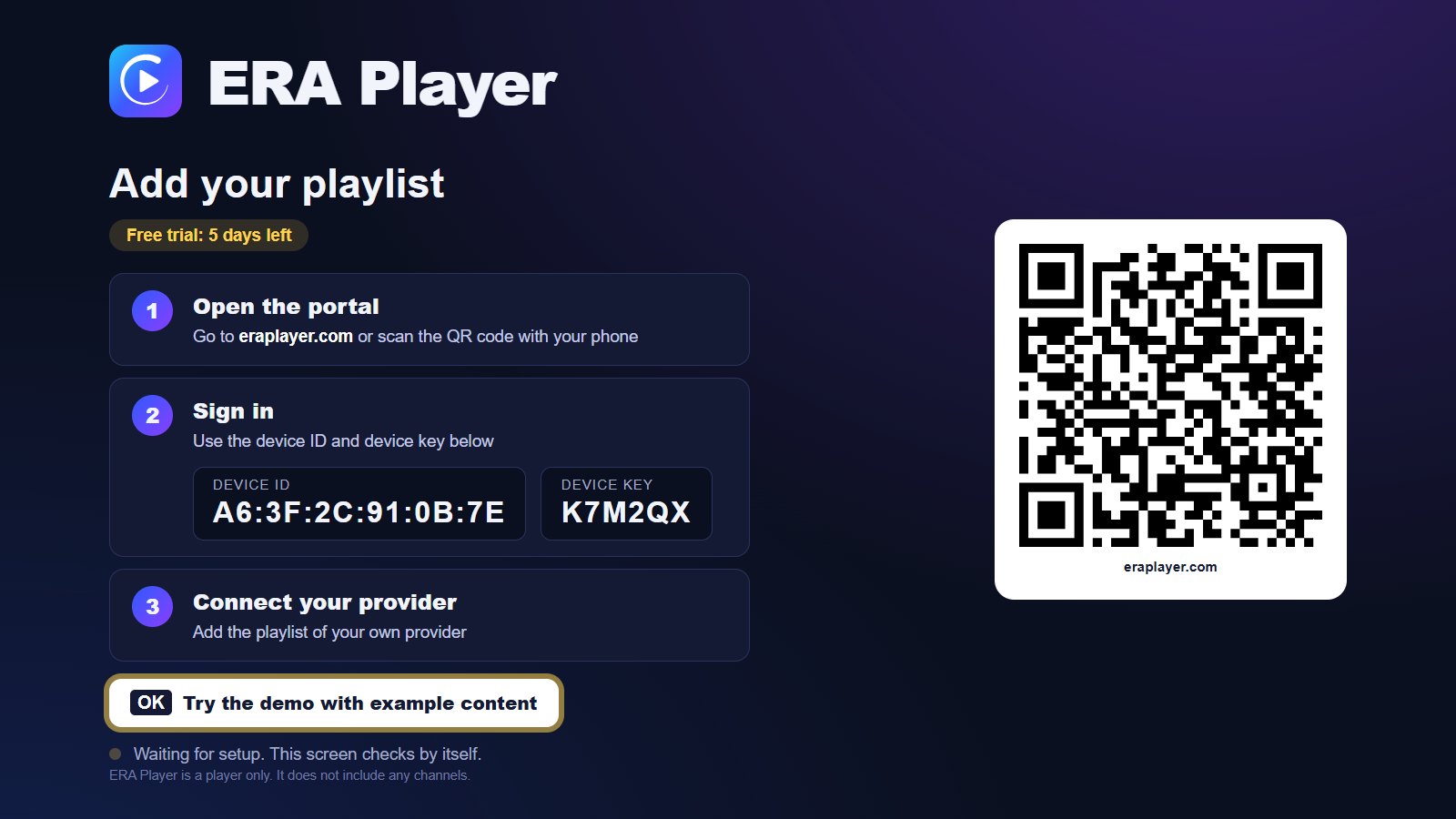
Start ERA Player. The first screen shows a QR code, a device ID and a device key. Your free trial starts automatically, so you can try everything first.
- 2
Step 2: sign in on your phone or computer
Scan the QR code, or go to eraplayer.com/portal and sign in with the device ID and key from the TV.
- 3
Step 3: add your playlist
Paste your M3U link or enter your Xtream Codes details. ERA Player checks the playlist and sends it to your TV. Within seconds your channels appear.
- 4
Step 4: enjoy
Browse live TV with a preview, open the TV guide, watch programmes that already aired (catch-up, when your provider offers it) and continue movies and series where you stopped.
Activate deviceSee pricing and features
No playlist yet?
ERA Player has a demo with example content that you can open from the first screen of the app, so you can try every feature before you add a playlist of your own.
Other TVs
No store approvals yet. The app is not yet publicly downloadable from these stores. Availability and supported devices will be confirmed on approval; no launch date has been set.
ERA Player is only a player. It does not provide channels, streams or playlists. Use it with content you have the right to watch.